What Is an Evil Twin in Cybersecurity? Wi-Fi Attacks Explained
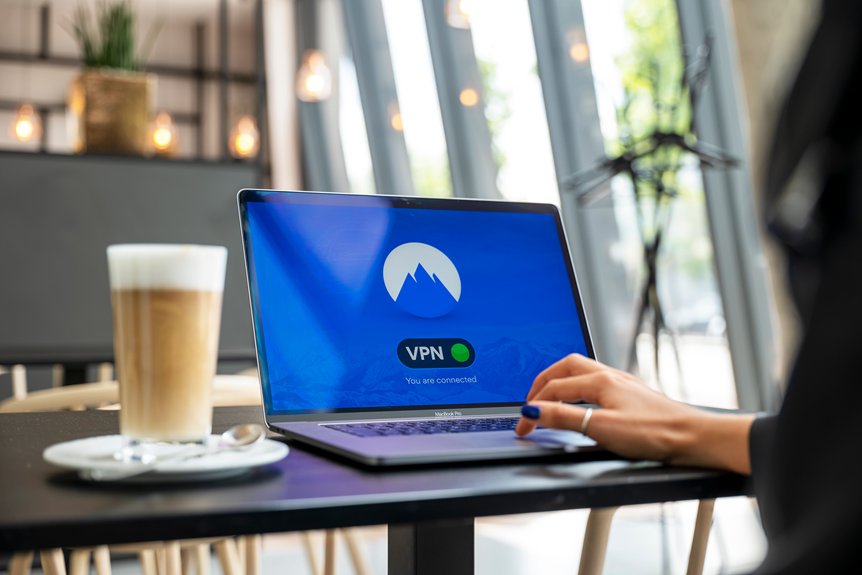
Have you ever considered how easily you could connect to a fake Wi-Fi network? An Evil Twin attack exploits this vulnerability by creating a rogue hotspot that mimics a legitimate one. This deceptive tactic allows cybercriminals to intercept your sensitive data and monitor your online activities. Understanding how these attacks work and the signs to watch for is essential for protecting yourself. Let’s explore the methods used and how you can safeguard your connection.
Understanding Evil Twin Attacks: What You Need to Know
Understanding Evil Twin attacks is essential for anyone who relies on public Wi-Fi networks.
An Evil Twin attack occurs when a malicious actor creates a rogue Wi-Fi hotspot that mimics a legitimate network, tricking users into connecting. This can lead to unauthorized access to sensitive data, such as passwords and personal information.
You mightn’t notice the difference, as the fake network often uses the same name (SSID) as the genuine one. When you connect, the attacker can intercept your traffic, monitor your online activities, or even inject malware.
To protect yourself, always verify the network name with staff, avoid accessing sensitive accounts on public Wi-Fi, and consider using a Virtual Private Network (VPN) for added security.
How Does an Evil Twin Attack Work?
How can an attacker set up an Evil Twin hotspot to exploit unsuspecting users?
First, they create a rogue Wi-Fi network that mimics a legitimate one, often using the same SSID. This lures you into connecting, believing it’s safe.
Once you’re connected, the attacker can intercept your data, including login credentials and sensitive information. They may also employ tools to capture unencrypted traffic or redirect you to malicious websites.
Additionally, the attacker can use a stronger signal to guarantee their network is more appealing than the real one, further increasing the chances of connection.
Common Methods Cybercriminals Use to Create Evil Twins
While many people connect to Wi-Fi networks without a second thought, cybercriminals employ various methods to create Evil Twin hotspots that deceive users.
These tactics often exploit weaknesses in public Wi-Fi systems, making it essential for you to be aware of them:
- SSID Spoofing: Cybercriminals clone the name of a legitimate network, making their hotspot appear trustworthy.
- Deauthentication Attacks: They disconnect users from the real network, prompting them to connect to the malicious one instead.
- Signal Strength Manipulation: By boosting the signal of their fake network, attackers can make it more appealing than the legitimate option.
Understanding these methods can help you stay vigilant against such threats and protect your sensitive information.
Identifying Evil Twin Networks: Key Signs
Have you ever connected to a Wi-Fi network only to feel uncertain about its legitimacy? Identifying an evil twin network is essential for your cybersecurity. Look for these key signs:
| Sign | Description |
|---|---|
| Same SSID | An identical name to a legitimate network. |
| Poor Signal Strength | Weaker connection than expected. |
| Unusual Login Pages | Unexpected prompts for authentication. |
| Slow Internet Speeds | Noticeably slower than usual browsing speeds. |
| Multiple Networks Nearby | Several similar SSIDs in close proximity. |
Stay vigilant and always verify the network before connecting. If you spot any of these signs, disconnect immediately and seek a more secure connection.
What Happens If You Fall for an Evil Twin Attack?
Falling for an evil twin attack can have serious consequences for your personal data and security. When you connect to a rogue Wi-Fi network, you expose yourself to various risks, including:
- Data Theft: Attackers can intercept your sensitive information, such as passwords, credit card numbers, and personal emails, as it travels over the unsecured connection.
- Malware Installation: Cybercriminals may inject malware onto your device, leading to unauthorized access, data corruption, or even complete control over your system.
- Identity Theft: With your personal information in hand, attackers can impersonate you, potentially draining your bank accounts or opening new credit lines in your name.
Understanding these risks is vital to maintaining your cybersecurity and protecting your sensitive information.
Protecting Yourself Against Evil Twin Attacks
How can you safeguard yourself against evil twin attacks? First, avoid connecting to public Wi-Fi networks whenever possible.
If you must, use a virtual private network (VPN) to encrypt your data. Always verify the network name with the establishment before connecting; attackers often use similar-sounding names.
Enable your device’s firewall and keep your operating system and apps updated to patch vulnerabilities. Disable automatic connections to Wi-Fi networks to prevent accidental connections to rogue hotspots.
Use HTTPS websites to add an extra layer of security. Finally, consider using two-factor authentication for sensitive accounts to mitigate risks even if your credentials are compromised.
Top Strategies for Strengthening Your Wi-Fi Security
Strengthening your Wi-Fi security is vital in today’s digital landscape. By implementing robust measures, you can greatly reduce the risk of cyber threats.
Here are three key strategies to enhance your Wi-Fi security:
- Use Strong Encryption: Always opt for WPA3 encryption. This advanced security protocol offers stronger protection against unauthorized access compared to older standards.
- Change Default Credentials: Don’t settle for factory-set usernames and passwords. Create unique, complex logins for your router to make it harder for attackers to gain entry.
- Regularly Update Firmware: Keep your router’s firmware up to date. Manufacturers release updates to patch vulnerabilities, so regularly check for updates to guarantee your device is secure.
Tools to Detect Evil Twin Attacks
Even with enhanced Wi-Fi security measures, the threat of Evil Twin attacks looms large.
To effectively detect these malicious hotspots, consider using tools like Wireshark, which analyzes network traffic for anomalies, or Kismet, a wireless network detector that can identify rogue access points.
Another option is Aircrack-ng, a suite that includes tools for monitoring, attacking, and testing Wi-Fi networks.
Additionally, using smartphone apps like Fing can help you scan for unauthorized devices on your network.
What to Do If You Suspect an Attack?
If you suspect an Evil Twin attack, acting quickly is essential to safeguard your data. Here’s what you should do:
- Disconnect Immediately: Disconnect from the suspicious Wi-Fi network. This prevents any data interception by the malicious access point.
- Use a VPN: If you need to connect to Wi-Fi, use a virtual private network (VPN). This encrypts your connection, minimizing the risk of data theft.
- Monitor Your Accounts: After disconnecting, check your online accounts for unusual activity. Change passwords if you notice anything suspicious.
Taking these steps can help protect your sensitive information and mitigate potential damage.
How to Use Public Wi-Fi Safely
Using public Wi-Fi can expose you to various security risks, especially if you’re unaware of the potential threats like Evil Twin attacks. To protect yourself, always verify the network name with staff before connecting.
Use a Virtual Private Network (VPN) to encrypt your data, guaranteeing that any information you send remains private. Avoid accessing sensitive accounts or conducting financial transactions on public networks.
Keep your device’s software updated to patch vulnerabilities that attackers might exploit. Disable file sharing and confirm your firewall is active.
When possible, use cellular data instead of public Wi-Fi for sensitive tasks. By following these precautions, you can considerably reduce your risk of falling victim to cyber threats on public networks.